
Templates › Monthly Budget
Monthly Budget Excel Template
Plan the month and compare it with what you really spent. The sheet tells you where you went over.
⬇ Download free (.xlsx)Free · No sign-up · 11 KB · Works in Excel and Google Sheets
See it filled with data
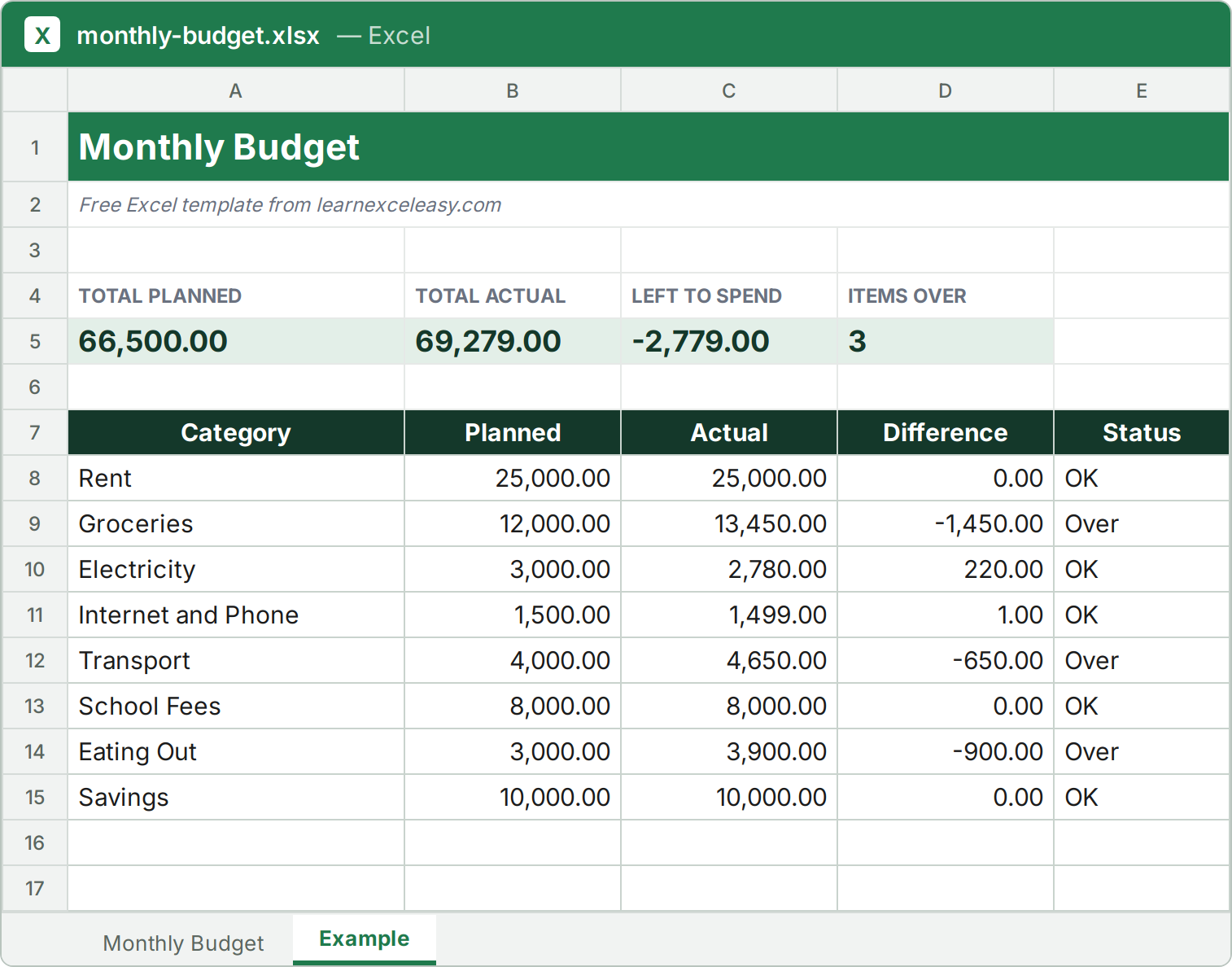
The file has two sheets: a blank one for your own data, and this filled Example so you can see how it works.
What is inside
- Planned vs Actual for every category
- Difference and an Over / OK status
- Totals and money left to spend on top
How to use it
- List your categories and the planned amount.
- Fill Actual as the month goes on.
- Watch the Status column for anything marked Over.
- Left to Spend on top shows what remains.
⬇ Download the Monthly Budget template
More free templates
InvoiceQuotationPayment TrackerExpense TrackerSales TrackerStock InventorySalary SheetAttendance SheetTask TrackerLead TrackerLoan EMI Calculator
