
Templates › Balance Sheet
Balance Sheet Excel Template
What does the business own and what does it owe? Fill the yellow cells and read your net worth in one look.
⬇ Download free (.xlsx)Free · No sign-up · 7 KB · Works in Excel and Google Sheets
See it filled with data
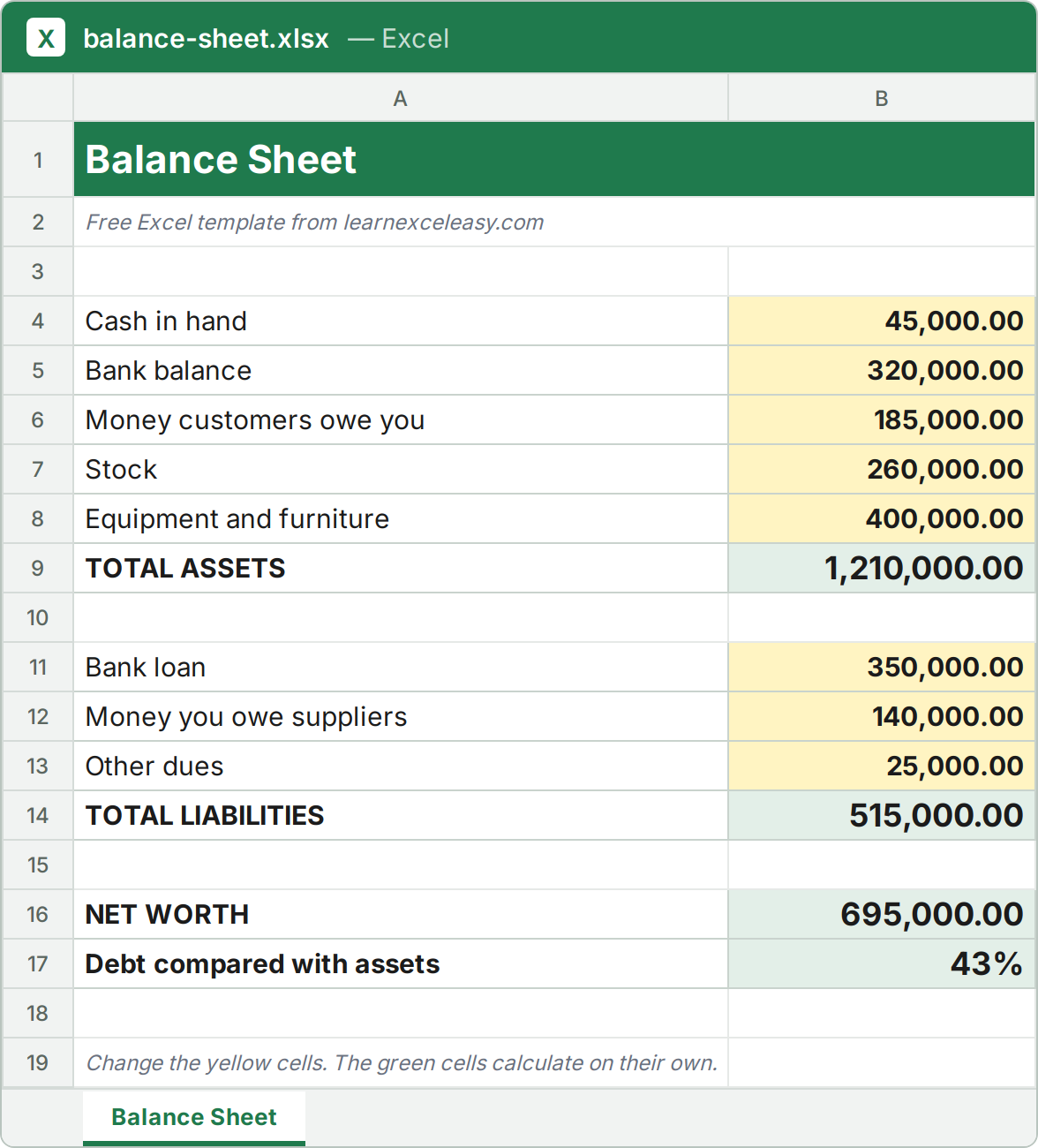
The file has two sheets: a blank one for your own data, and this filled Example so you can see how it works.
What is inside
- Total Assets (everything you own)
- Total Liabilities (everything you owe)
- Net Worth = Assets − Liabilities
- Debt compared with assets, as a percent
How to use it
- Type what you own: cash, bank balance, stock, equipment.
- Type what you owe: loans and unpaid bills.
- Read Net Worth at the bottom.
- Update it at the end of every month.
⬇ Download the Balance Sheet template
More free templates
InvoiceQuotationPayment TrackerExpense TrackerMonthly BudgetSales TrackerStock InventorySalary SheetAttendance SheetTask TrackerLead TrackerLoan EMI CalculatorWeekly TimesheetProject Gantt ChartExpense ReportCash Flow ForecastProfit and Loss StatementSavings CalculatorBreak-Even CalculatorShift ScheduleEvent BudgetPurchase OrderPayment ReceiptStudent Marks SheetCash BookMileage LogFuel LogVehicle Maintenance LogSubscription TrackerGrocery Shopping ListDaily Sales ReportGST CalculatorDiscount CalculatorAge CalculatorCompound Interest CalculatorPercentage CalculatorFreelance Hourly Rate CalculatorElectricity Bill Calculator
