
Templates › Compound Interest Calculator
Compound Interest Calculator Excel Template
One lump sum, left to grow. Type the amount, rate, years and how often interest is added. See the final amount and how long money takes to double.
⬇ Download free (.xlsx)Free · No sign-up · 7 KB · Works in Excel and Google Sheets
See it filled with data
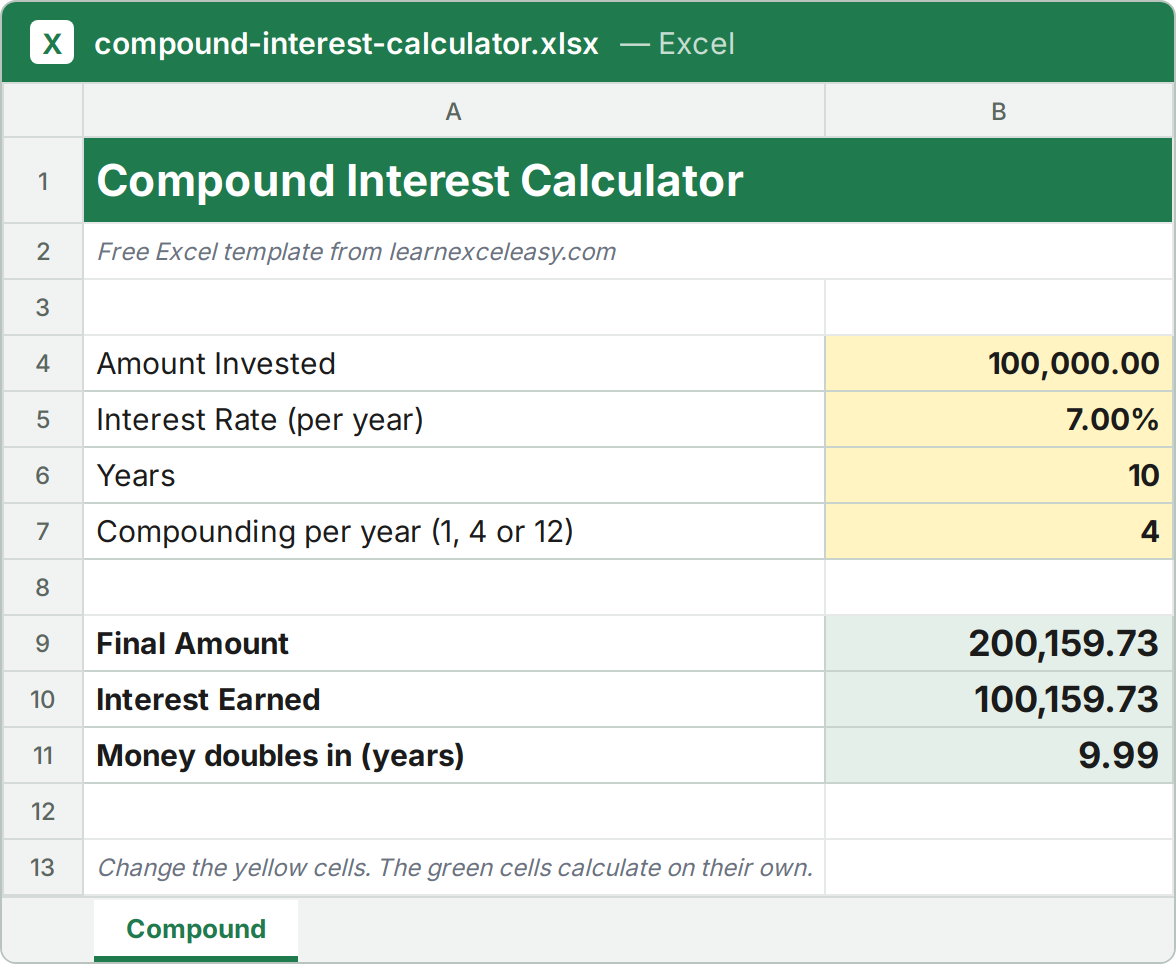
The file has two sheets: a blank one for your own data, and this filled Example so you can see how it works.
What is inside
- Final amount with compounding
- Interest earned
- Years for the money to double
How to use it
- Type the amount you invest once.
- Type the yearly rate and the number of years.
- Type how many times a year interest is added (1, 4 or 12).
- Read the final amount and the doubling time.
⬇ Download the Compound Interest Calculator template
More free templates
InvoiceQuotationPayment TrackerExpense TrackerMonthly BudgetSales TrackerStock InventorySalary SheetAttendance SheetTask TrackerLead TrackerLoan EMI CalculatorWeekly TimesheetProject Gantt ChartExpense ReportCash Flow ForecastProfit and Loss StatementBalance SheetSavings CalculatorBreak-Even CalculatorShift ScheduleEvent BudgetPurchase OrderPayment ReceiptStudent Marks SheetCash BookMileage LogFuel LogVehicle Maintenance LogSubscription TrackerGrocery Shopping ListDaily Sales ReportGST CalculatorDiscount CalculatorAge CalculatorPercentage CalculatorFreelance Hourly Rate CalculatorElectricity Bill Calculator
