
Templates › Shift Schedule
Shift Schedule Excel Template
Who works which shift this week? Pick Morning, Evening, Night or Off for each day. Shifts and offs are counted for every person.
⬇ Download free (.xlsx)Free · No sign-up · 13 KB · Works in Excel and Google Sheets
See it filled with data
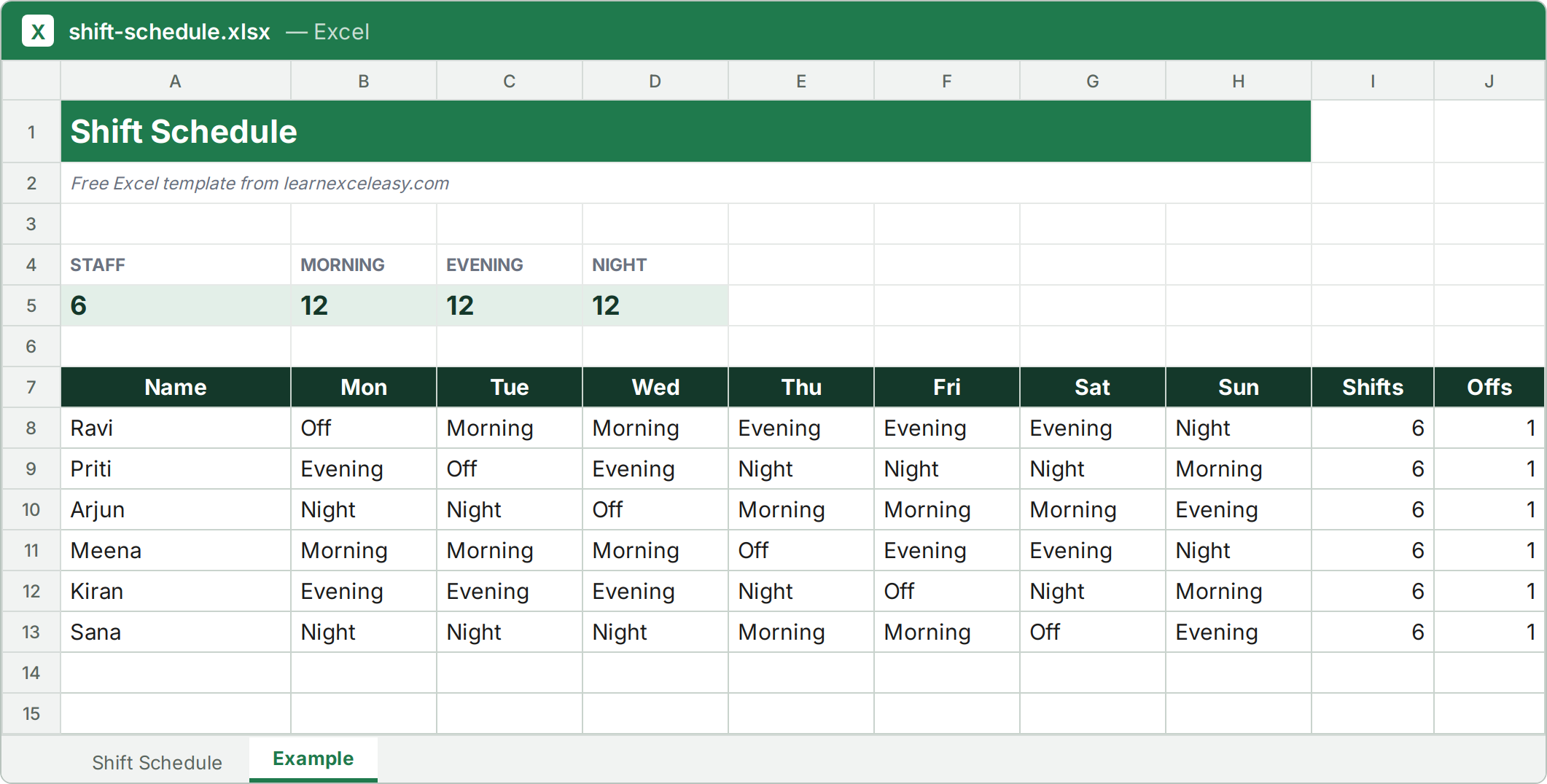
The file has two sheets: a blank one for your own data, and this filled Example so you can see how it works.
What is inside
- Seven day columns with a shift drop-down
- Shifts and Offs counted for each person (COUNTIF)
- How many Morning, Evening and Night shifts in the week
- Ready for 50 people
How to use it
- Type the names in column A.
- Pick the shift for each day from the drop-down.
- Check that everyone gets an Off.
- Use a new copy for each week.
Formulas used: COUNTIF COUNTA IF
⬇ Download the Shift Schedule template
More free templates
InvoiceQuotationPayment TrackerExpense TrackerMonthly BudgetSales TrackerStock InventorySalary SheetAttendance SheetTask TrackerLead TrackerLoan EMI CalculatorWeekly TimesheetProject Gantt ChartExpense ReportCash Flow ForecastProfit and Loss StatementBalance SheetSavings CalculatorBreak-Even CalculatorEvent BudgetPurchase OrderPayment ReceiptStudent Marks SheetCash BookMileage LogFuel LogVehicle Maintenance LogSubscription TrackerGrocery Shopping ListDaily Sales ReportGST CalculatorDiscount CalculatorAge CalculatorCompound Interest CalculatorPercentage CalculatorFreelance Hourly Rate CalculatorElectricity Bill Calculator
