
Templates › Cash Book
Cash Book Excel Template
Office cash never matches? Write every rupee that comes in and goes out. The balance after each entry shows on its own.
⬇ Download free (.xlsx)Free · No sign-up · 15 KB · Works in Excel and Google Sheets
See it filled with data
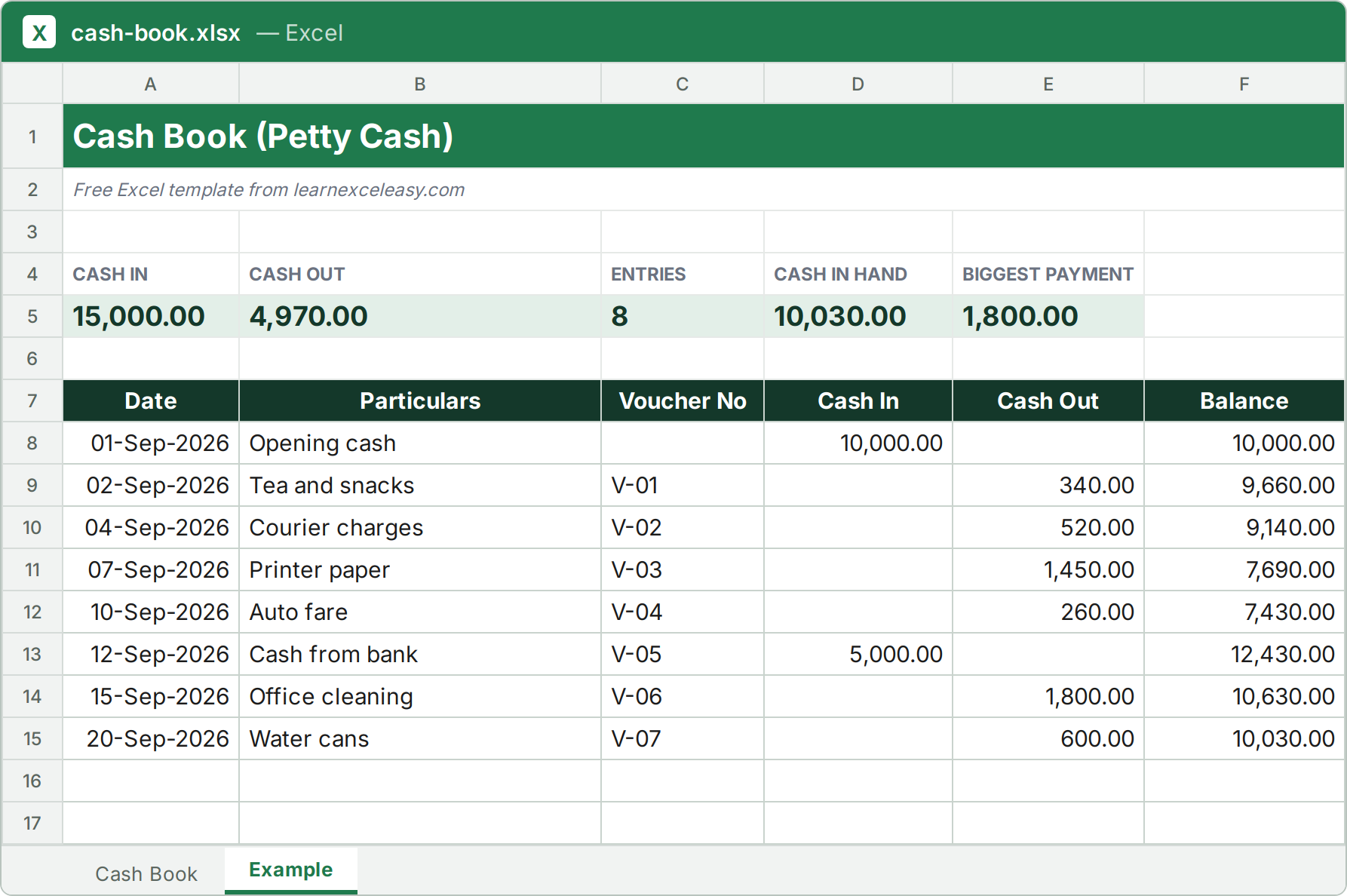
The file has two sheets: a blank one for your own data, and this filled Example so you can see how it works.
What is inside
- Running balance after every entry
- Cash in, cash out and cash in hand on top
- Voucher number column for your bills
- Ready for 100 entries
How to use it
- In the first row, type your opening cash under Cash In.
- Add one row for each payment or receipt.
- Read the Balance column after each entry.
- Count the cash in the box. It should match Cash In Hand.
Formulas used: IF AND SUM MAX COUNTA
⬇ Download the Cash Book template
More free templates
InvoiceQuotationPayment TrackerExpense TrackerMonthly BudgetSales TrackerStock InventorySalary SheetAttendance SheetTask TrackerLead TrackerLoan EMI CalculatorWeekly TimesheetProject Gantt ChartExpense ReportCash Flow ForecastProfit and Loss StatementBalance SheetSavings CalculatorBreak-Even CalculatorShift ScheduleEvent BudgetPurchase OrderPayment ReceiptStudent Marks SheetMileage LogFuel LogVehicle Maintenance LogSubscription TrackerGrocery Shopping ListDaily Sales ReportGST CalculatorDiscount CalculatorAge CalculatorCompound Interest CalculatorPercentage CalculatorFreelance Hourly Rate CalculatorElectricity Bill Calculator
