
MIN IF in Excel: the lowest value that meets a condition (MINIFS)
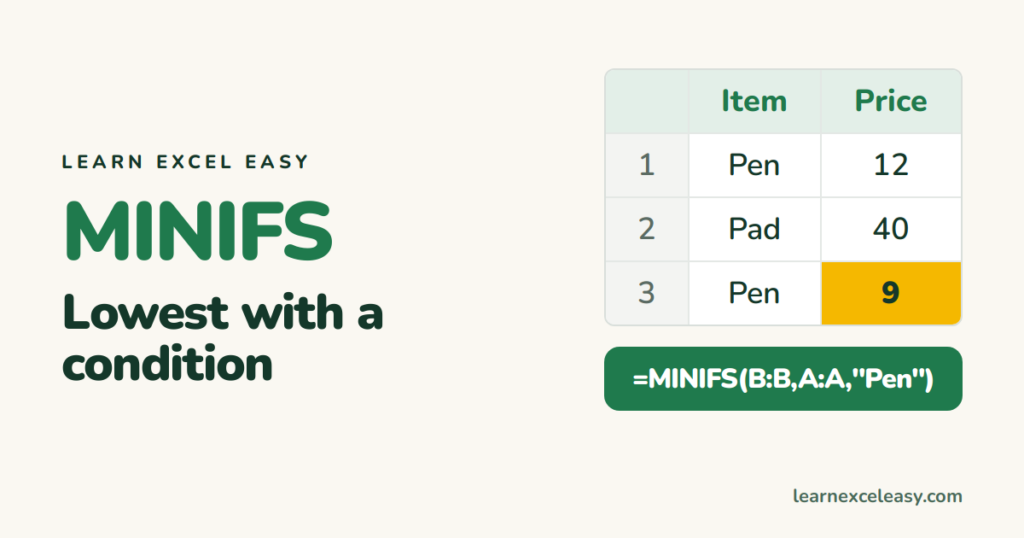
MINIFS returns the smallest number among the rows that match your condition.
The formula (Excel 2019, 2021, 365)
=MINIFS(min_range, criteria_range1, criteria1, ...)
Example: cheapest pen
=MINIFS(B2:B100,A2:A100,"Pen")
Pen rows cost 12 and 9, so the result is 9.
Useful versions
- Lowest, ignoring zeros:
=MINIFS(B:B,B:B,">0")— the common fix when blanks show as 0. - Earliest order date for a customer:
=MINIFS(C:C,A:A,F2), then format as a date. - Two conditions:
=MINIFS(B:B,A:A,"Pen",D:D,"In stock")
Older Excel
=MIN(IF(A2:A100="Pen",B2:B100))
Confirm with Ctrl+Shift+Enter.
Returns 0 when you expected a number
No row matched. MINIFS returns 0 instead of an error, which can look like a real price. Check with =COUNTIF(A:A,"Pen") first, or show a message: =IF(COUNTIF(A:A,"Pen"),MINIFS(B:B,A:A,"Pen"),"none").

20 years with spreadsheets and enterprise systems. Writes one short, plain-English Excel lesson a day. Got an Excel question? learnexceleasycom@gmail.com
