
Percentage Difference in Excel (change vs difference)
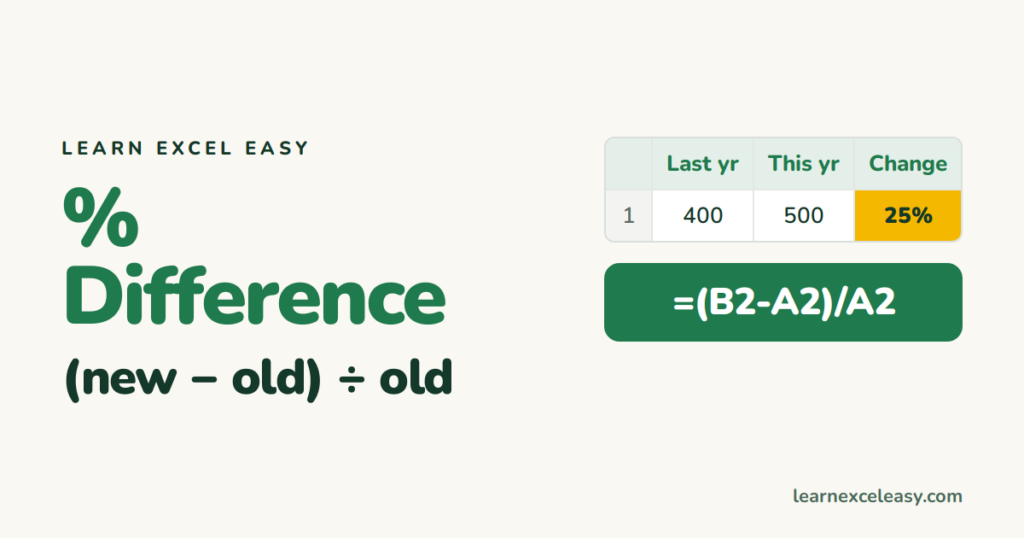
There are two different sums people mean. Pick the right one.
Percentage change (old → new)
=(B2-A2)/A2
Format as %. 400 → 500 = 25% up. 500 → 400 = −20% down. Same as =B2/A2-1.
Percentage difference (no before/after)
Comparing two shops, two quotes, two measurements — neither is the “starting” one:
=ABS(A2-B2)/AVERAGE(A2,B2)
400 and 500 → 22.2%. The answer is the same whichever order you put them.
Show + and − signs
Ctrl+1 › Custom: +0.0%;-0.0%;0.0%. Add colours: [Color10]+0.0%;[Red]-0.0%.
Old value is 0
You get #DIV/0!. Percentage change from zero isn’t defined, so show a note:
=IF(A2=0,"n/a",(B2-A2)/A2)
Negative starting values
Use ABS on the bottom so the direction stays right: =(B2-A2)/ABS(A2).
Percentage points vs percent
Margin 10% → 12% is 2 percentage points (=B2-A2), but a 20% change (=(B2-A2)/A2).
Other % sums: calculate a percentage · percentage formula

20 years with spreadsheets and enterprise systems. Writes one short, plain-English Excel lesson a day. Got an Excel question? learnexceleasycom@gmail.com
